 Team Workload
for Microsoft Planner
Team Workload
for Microsoft Planner
Team Workload
for Microsoft Planner
Team Workload
for Microsoft Planner
Unify team workload across every Microsoft Planner plan — see who is doing what, what is overdue, and what is due this week.
We read your Planner data directly. No Power Automate setup.
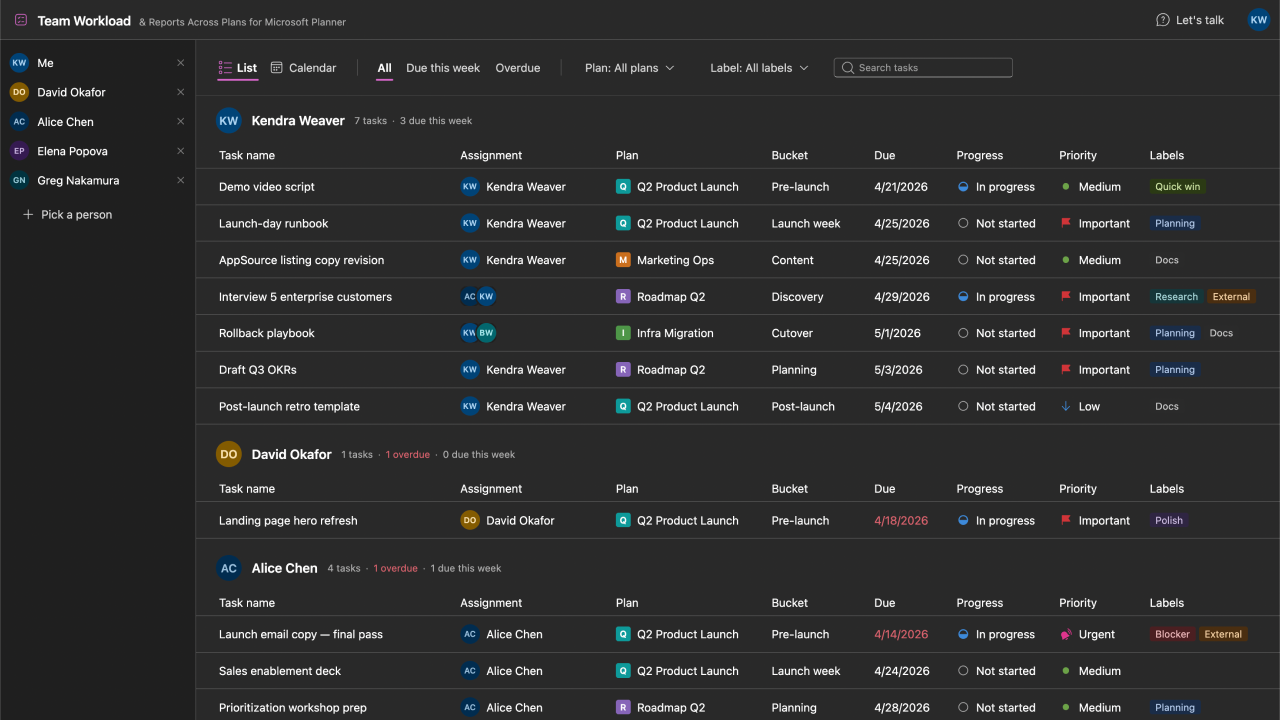
See every task assigned to every team member across every Microsoft Planner plan, grouped in one list. Skip the click-through-every-plan routine.
One-click filters for overdue and due-this-week, with per-person counts alongside every name. Know who is behind and who has capacity before your next standup or 1:1.
Switch between a compact task list and a month-grid calendar that places every task on its due date. Filter by plan or label.
Need admin approval first?
Some Microsoft 365 orgs require a tenant admin to approve Team Workload before users can sign in. If sign-in shows "Need admin approval", start here.